
Quick cybersecurity wins that take under 2 minutes but deliver enterprise-level protection.
Our team discovers these time-saving security fixes while working with clients across Florida – now we’re sharing them with you.
Each fix includes exactly how long it takes and why it matters for your business.
June 2026
Fix #1: See Which Devices Are Exposed Online
Tip:
Log into your firewall or router admin panel and look for sections called Port Forwarding, NAT, Remote Access, VPN, or Published Services. Review any rule that exposes a device or service to the internet, especially Remote Desktop, cameras, servers, NAS devices, printers, or old office PCs. If you see something outdated, unused, or unfamiliar, disable it or send it to IT for review before leaving it live.
Why It Matters:
Businesses often expose a system so someone can access it from home, then forget it is there. That is exactly the kind of security gap Rob warned about. Anything reachable from the internet can be found and tested by attackers, and Verizon’s latest breach report shows vulnerability exploitation is now one of the top ways they get in.
How Fast Of A Fix?
About 2 minutes for a quick check; 5-10 minutes for an in-depth review
Fix #2: Review Which Vendors Still Have Access
Tip:
Go to Microsoft 365 Admin Center > Users > Guest users and review any outside accounts still listed there. Then check Microsoft Entra admin center > Roles and administrators to see whether any vendor, consultant, or former IT provider still has elevated access. After that, review your firewall, backup portal, remote support tool, and key business apps for any outside logins or shared vendor accounts that are no longer needed. Remove anything outdated, unused, or unclear.
Why It Matters:
Third-party access is one of the easiest things to overlook and one of the hardest things to explain after an incident. Vendors, consultants, and former providers often keep access long after the job is done. GiaSpace’s recent breach coverage and the latest DBIR both point to the same issue: third-party risk is rising, and every unnecessary outside login is one more path into your business.
How Fast Of A Fix?
About 2 minutes per system
May 2026
Fix #1: See Who Is Actually Connected to Your Office Wi-Fi Right Now
Tip:
Log into your router’s admin panel (usually 192.168.1.1 or 192.168.0.1 in your browser) and look for a section called Connected Devices or DHCP Client List. Review every device on the list. If you see anything unfamiliar, unknown, or that does not belong to your team, remove it and change your Wi-Fi password immediately.
Why It Matters:
Most business owners set up their Wi-Fi once and never look at it again. Neighbors, former employees, or even attackers who got hold of your password could be sitting on your network right now. Anyone on your network can potentially see your shared files, printers, and internal systems.
How Fast Of A Fix?
About 2 minutes to log in and review
Fix #2:
Make Sure Auto-Lock Is Enabled on Every Work Laptop
Tip:
On Windows, go to Settings > Personalization > Lock Screen > Screen Timeout and set the screen to lock after 5 minutes of inactivity. On Mac, go to System Settings > Lock Screen and set it to require a password immediately. Check every work laptop, not just your own.
Why It Matters:
A laptop left unattended for even a few minutes in a coffee shop, coworking space, or open office is an open door. Auto-lock is one of the simplest protections available and one of the most commonly skipped.
How Fast Of A Fix?
30 seconds per device
April 2026
Fix #1: Check for Email Forwarding Rules
Tip:
Go to Outlook on the web > Settings > Mail > Rules and review inbox rules for anyone in finance, HR, or leadership. Then go to Microsoft 365 Admin Center > Users > Active users > select user > Mail > Manage email forwarding to check whether forwarding is turned on at the mailbox level. Remove any rule or setting that auto-forwards messages outside the company unless it is clearly approved.
Why It Matters:
Attackers love mailbox forwarding rules because they let them quietly monitor invoices, payroll notices, password resets, and other sensitive emails without drawing much attention. Microsoft treats suspicious forwarding activity as a common enough attack pattern to have dedicated investigation guidance for it.
How Fast Of A Fix?
About 2 minutes per mailbox
Fix #2:
Review Which Apps Have Access to Microsoft 365
Tip:
Go to Microsoft Entra admin center > Enterprise applications > All applications. Review the list for anything unfamiliar, overly broad, or no longer needed, especially apps tied to email, files, or user data. Click into any app you do not recognize and review its permissions and consent settings before removing or investigating it.
Why It Matters:
Consent phishing can trick a user into approving a malicious app instead of giving up a password. That gives attackers a quieter way into Microsoft 365 data, including mail and files, while making the activity look like a legitimate app connection.
How Fast Of A Fix?
Under 2 minutes for a quick review
March 2026
Fix #1: Delete Unused Browser Extensions
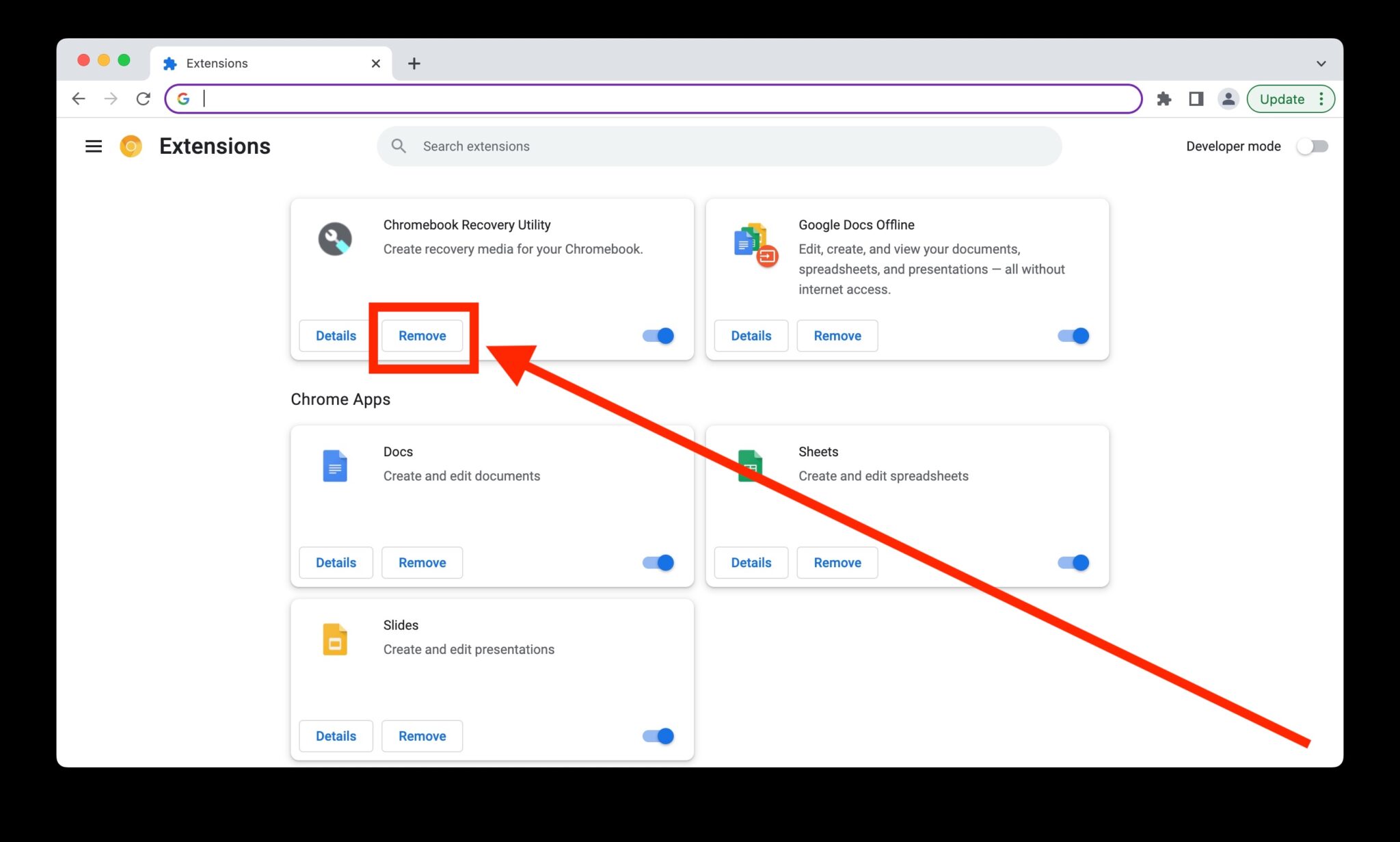
Tip:
Go to Chrome > Extensions > Manage Extensions or Edge > Extensions > Manage Extensions and remove any extensions you no longer use, especially AI assistants, coupon tools, screen capture apps, and PDF editors.
Why It Matters:
Browser extensions can access more data than most people realize, including page content, login sessions, and browsing activity. A quick extension cleanup is an easy way to reduce risk and speed up your browser.
How Fast Of A Fix?
1 minute
Fix #2: Turn Off Browser Notifications You Don’t Need
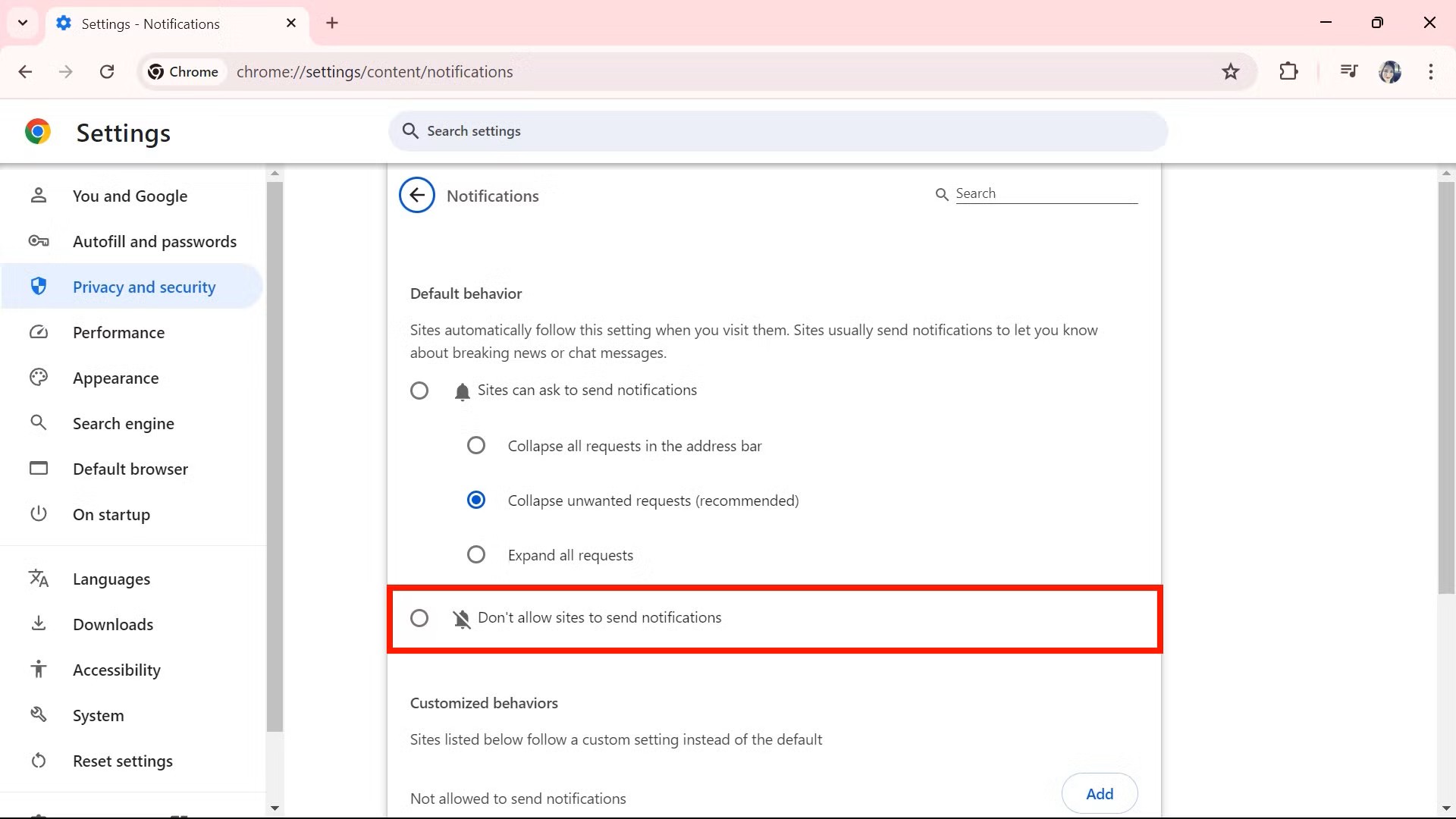
Tip:
Go to Chrome > Settings > Privacy and security > Site settings > Notifications or Edge > Settings > Cookies and site permissions > Notifications and remove any websites you do not trust.
Why It Matters:
CISA says recent alerts cover active cyber threats and campaigns that need rapid response, and browser-based attacks remain a common doorway into day-to-day work. Tightening notification permissions is an easy cleanup step when so much work now happens in the browser. This last sentence is an inference supported by CISA’s focus on ongoing web-based threat activity.
How Fast Of A Fix?
About 30 seconds
February 2026
Fix #1: Purge Your “Shadow” Browser Extensions
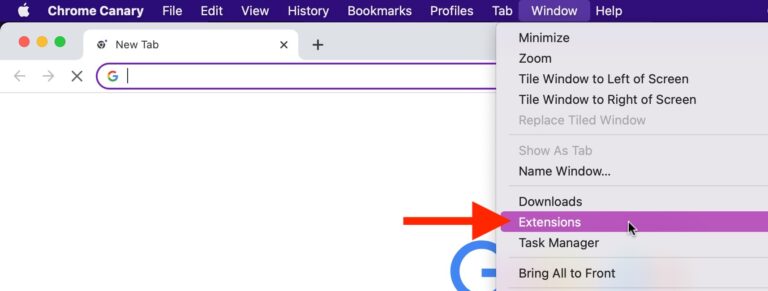
Open your primary browser (Chrome, Edge, or Safari) and go to your Extensions or Add-ons manager. Remove any extension you haven’t used in the last 30 days, especially those “Free PDF Converters” or “Coupon Finders.”
Why It Matters:
Browser extensions are a massive, often overlooked security hole. In 2026, malicious extensions are a leading way for hackers to bypass MFA by “session hijacking” (stealing your login while you’re already signed in). Even legitimate extensions can be sold to bad actors who push out “updates” containing spyware. If you aren’t using it, it shouldn’t have a front-row seat to your data.
How Fast Of A Fix?
90 seconds to audit and remove unused extensions
Fix #2: The Emergency Windows Patch (6 Urgent Fixes)
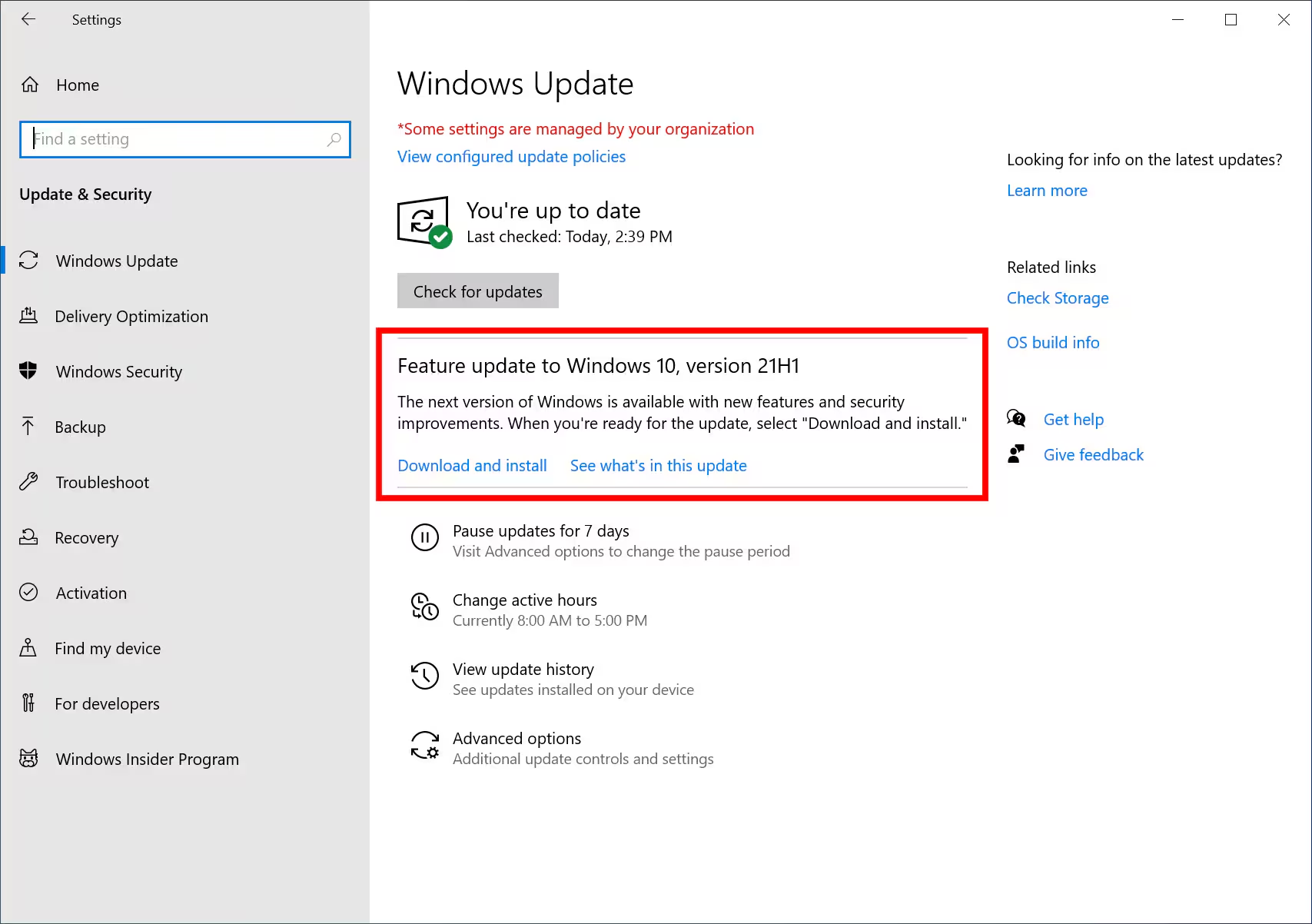
Tip:
Manually trigger a Windows Update to catch the six zero-day vulnerabilities released this week (Feb 10th). Specifically, these flaws let hackers bypass security warnings just by tricking you into clicking a link or a Word doc. Go to Settings > Windows Update > Check for updates and install all available patches immediately.
Why It Matters:
These aren’t “theoretical” risks. Hackers are actively using them right now to gain administrative control over business PCs. Waiting for the “automatic” update might be too late if your staff is prone to clicking email links.
How Fast Of A Fix?
2 minutes to start the update; 10 minutes to restart and verify
January 2026
Fix #1: Audit Your Software Subscriptions (You’re Probably Paying for Ghosts)
Tip:
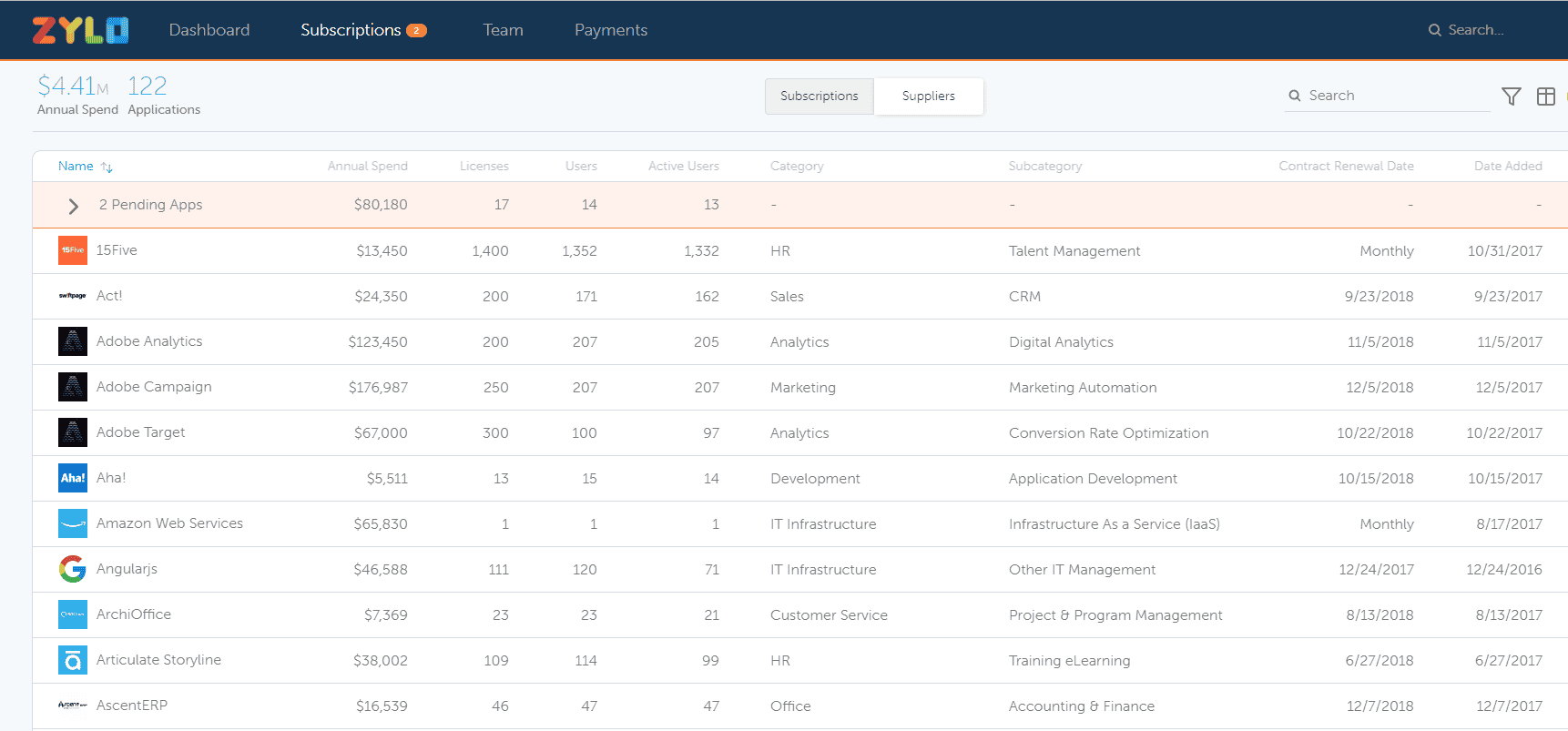
Pull up your business credit card and bank statements from the last 3 months. Highlight every recurring software charge. Go through each one and ask: “Does anyone on my team actually use this?” For a faster approach, use SaaS management tools like Torii, Zylo, or Productiv that automatically discover all your subscriptions and show who’s actually using them. Cancel subscriptions nobody remembers, remove licenses for employees who left, and consolidate duplicate tools.
Why It Matters:
January is when annual subscriptions renew, and most businesses are paying for software nobody uses. That free trial you forgot to cancel? Still charging you. Former employees’ licenses? Still active. The average business wastes 30% of their SaaS budget on “ghost” subscriptions. Beyond the money waste, every unused account is a security vulnerability. Fewer active subscriptions = smaller attack surface for hackers. Each forgotten account is a potential entry point that nobody’s monitoring.
How Fast Of A Fix?
20 minutes to audit manually OR 5 minutes to connect a SaaS management tool
Fix #2: Update Windows Now (Hackers Are Exploiting This Flaw)
Tip:
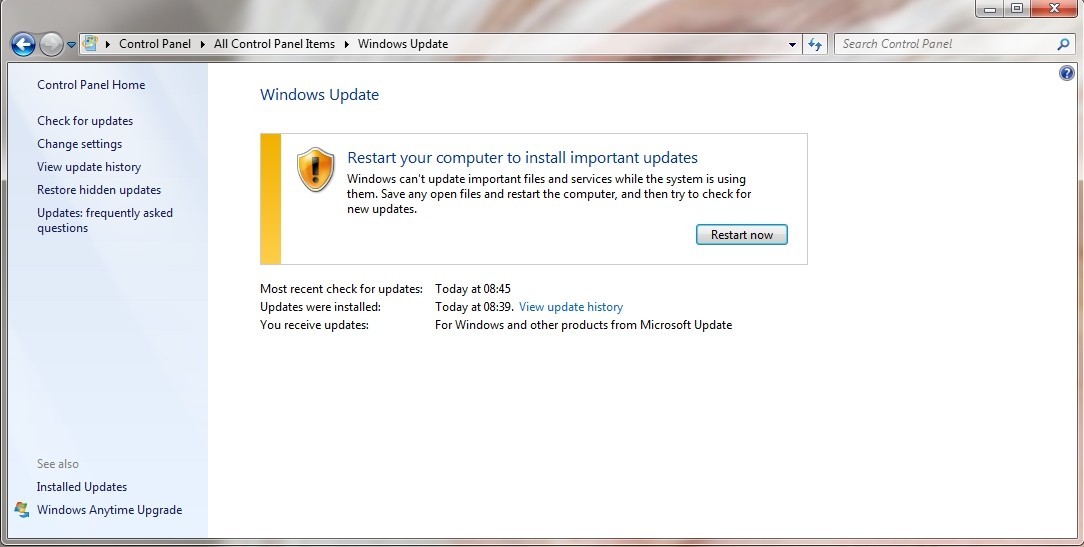
Windows users: Microsoft released critical security updates on January 14, 2026 (Patch Tuesday). Go to Settings > Windows Update > Check for updates and install all available patches immediately. One vulnerability (CVE-2026-20805) is already being exploited by hackers in the wild right now.
Why It Matters:
Hackers are actively attacking a Windows Desktop Window Manager flaw before businesses have time to patch it. This is a “zero-day” vulnerability; meaning attackers found it before Microsoft could fix it. CISA (the government’s cybersecurity agency) added it to their Known Exploited Vulnerabilities list, which means it’s urgent. The longer you wait to patch, the more exposed you are. This January update fixes 114 security holes, including 8 critical vulnerabilities.
How Fast Of A Fix?
5-10 minutes to run Windows Update (restart required)
December 2025
Fix #1: Turn On Microsoft’s Silent Security Feature Finally Activated
Tip:
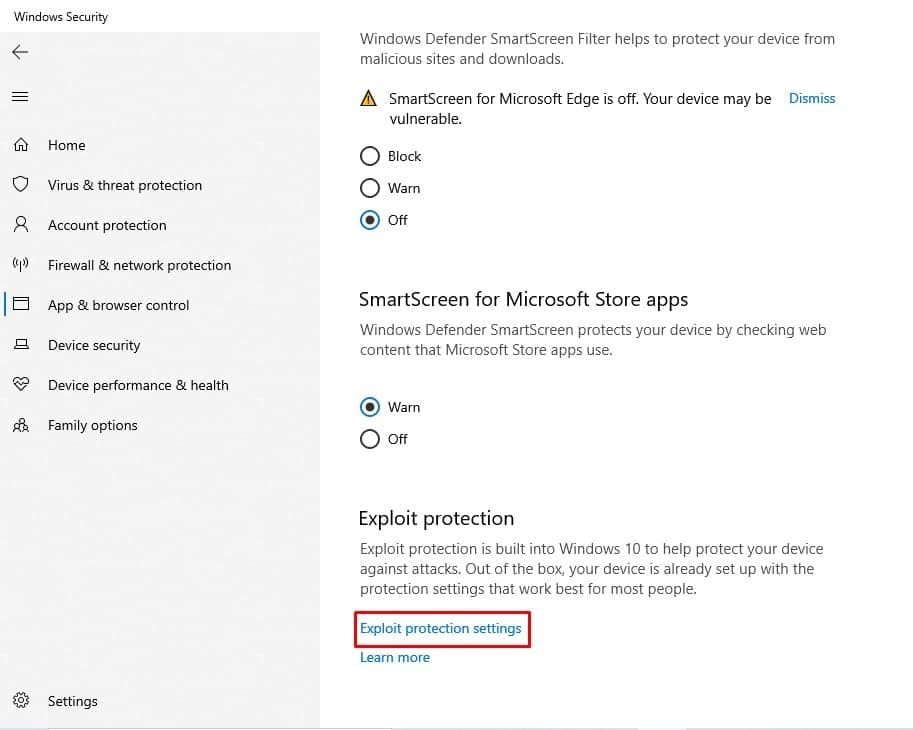
Windows users: Microsoft just activated a critical security feature they’ve been sitting on for 8 years. Go to Windows Security > App & Browser Control > Exploit Protection Settings and verify “Control Flow Guard (CFG)” is enabled. Microsoft silently turned this on in recent updates, but some systems may need manual verification.
Why It Matters:
Control Flow Guard prevents memory corruption attacks that hackers use to hijack programs. Microsoft built this protection in 2017 but only started auto-enabling it in December 2025. If your systems haven’t updated recently or had custom security policies, CFG might still be off. This free built-in protection blocks entire classes of exploits.
How Fast Of A Fix?
90 seconds to verify CFG is enabled
Fix #2: Set ‘Out of Office’ Auto-Replies in Email (But Do It Smart)
Tip:
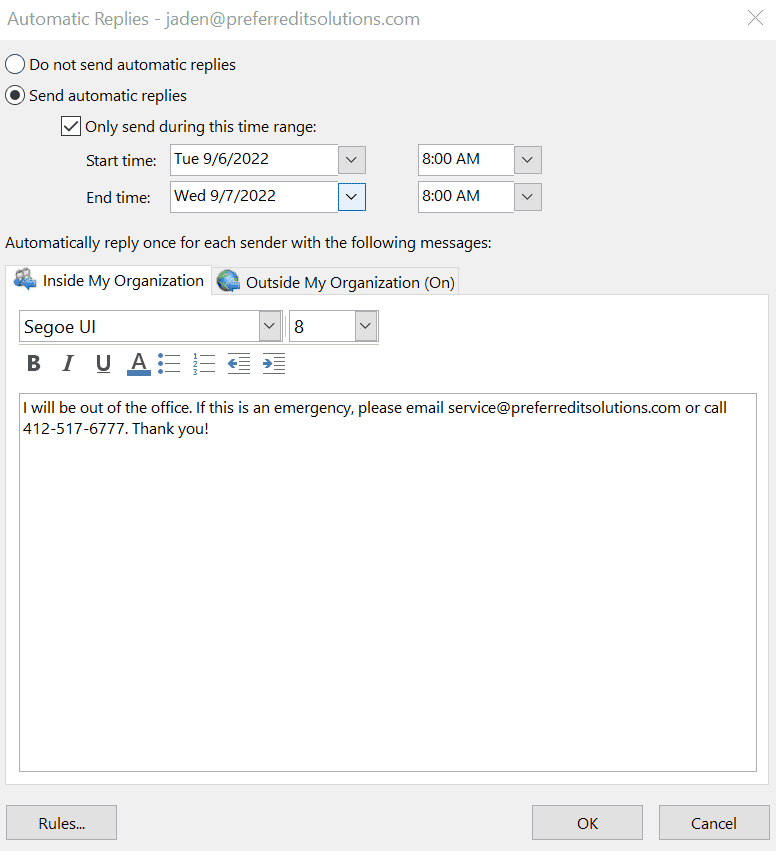
Before setting your out-of-office email reply for the holidays, remove details about how long you’ll be gone and who’s covering for you. Don’t write “I’m away December 20-January 2, contact Sarah at sarah@company.com for urgent matters.” Just say “I’m currently out of the office and will respond when I return.” Attackers use detailed auto-replies to target your replacement and time their attacks.
Why It Matters:
Out-of-office messages tell hackers exactly when you’re gone, how long, and who to impersonate. Scammers monitor auto-replies during the holidays to send fake urgent requests to the person covering for you. “Hi Sarah, John told me to contact you while he’s away. Can you approve this invoice?” Your replacement doesn’t know your vendors and might not question it during the holiday chaos.
How Fast Of A Fix?
60 seconds to edit your out-of-office template
November 2025
Fix #1: Check for Unused Employee Accounts
Tip:
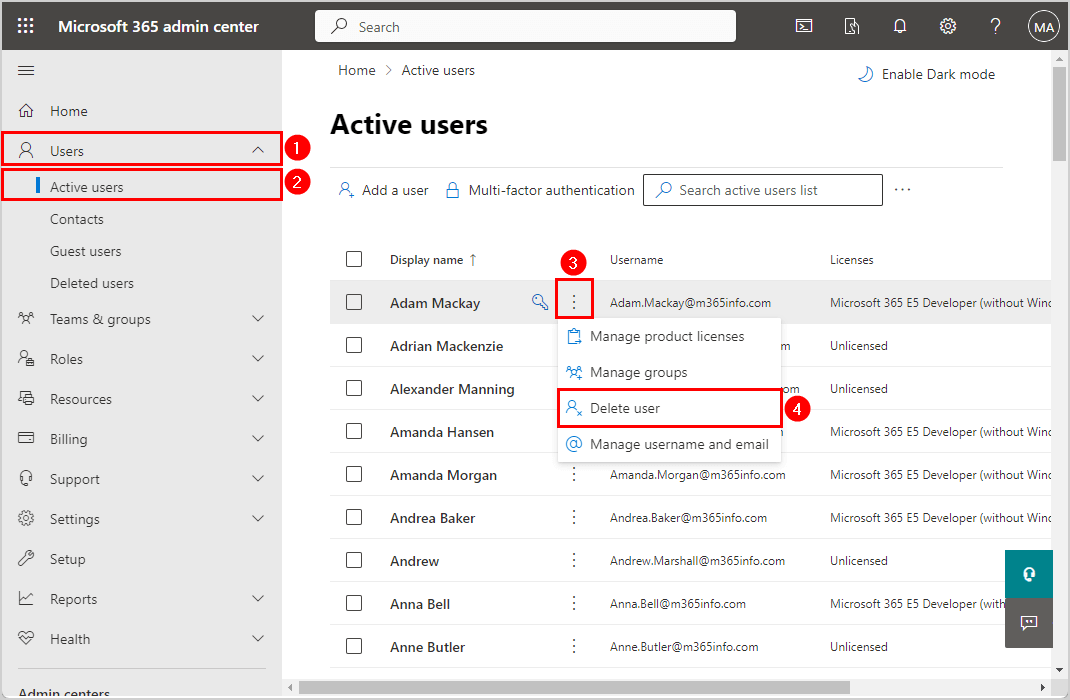
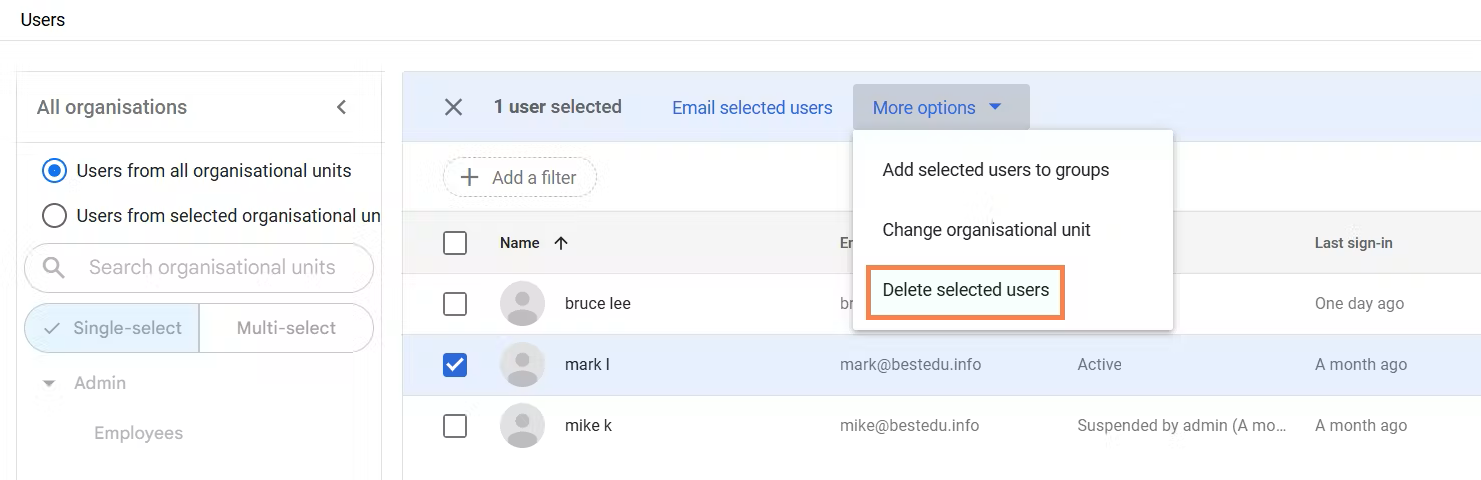
Log into your Microsoft 365 or Google Workspace admin panel and check the “Last Sign-In” date for every user. With professional Fast Tech Fixes, Disable any account that hasn’t logged in for 60+ days, then remove the license to stop paying for it. Former employee accounts sitting dormant are open doors for hackers.
Why It Matters:
Every unused account is a security risk and wasted money. Hackers target old employee accounts because no one’s monitoring them. You’re also paying monthly license fees for people who don’t even work there anymore.
How Fast Of A Fix?
15 minutes to audit and disable accounts
Fix #2: Set Up Automatic Backup Testing (Windows)
Tip:
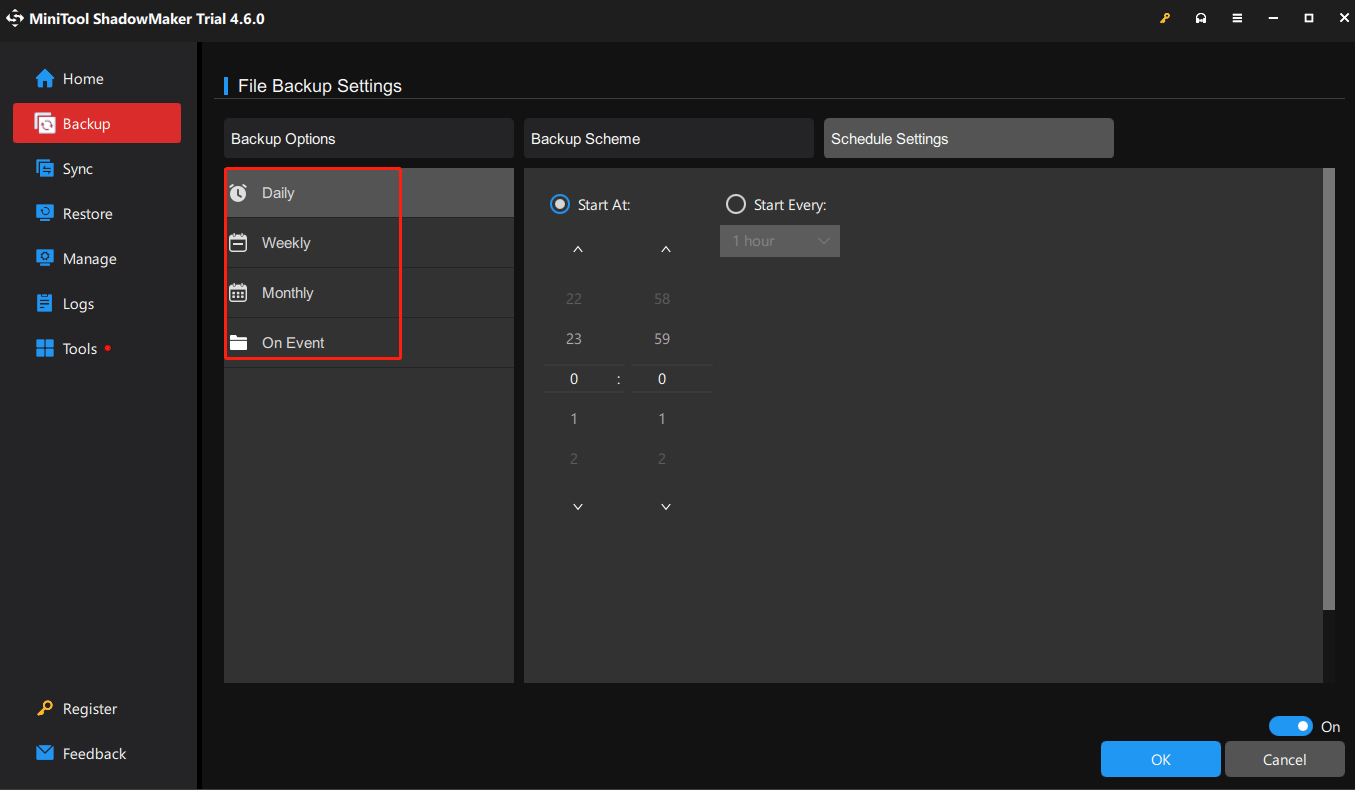
Schedule a monthly automatic restore test for your Windows backups. If you’re using Windows Backup or third-party software like Veeam or Acronis, set up an automated test that restores a random file to a separate test folder (not your live system). Verify the file opens correctly. Most backup software includes built-in test restore features that run automatically without touching your production data.
Why It Matters:
60% of businesses discover their Windows backups don’t work when they’re trying to recover from ransomware or hardware failure. By then, it’s too late. Monthly testing catches corrupt backup files, missing folders, or configuration errors while you still have time to fix them before disaster strikes.
How Fast Of A Fix?
20 minutes to configure automatic test restores in Windows Backup or your backup software; runs on its own monthly after that
October 2025
Fix #1: October’s #1 Ransomware Target: Your QuickBooks Company File
Tip:
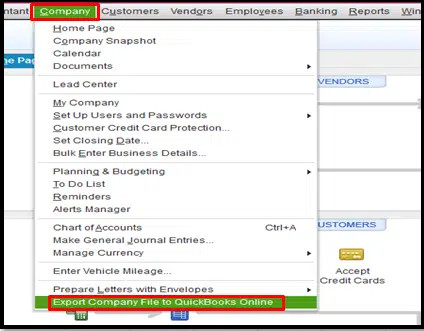
Move your QuickBooks company file off your desktop or downloads folder. Store it on a network drive with automatic backups, or better yet, upgrade to QuickBooks Online. Ransomware loves desktop files because they’re easy to encrypt.
Why It Matters:
QuickBooks files contain your entire financial history, customer data, and vendor information. Losing access means you can’t invoice, pay bills, or run payroll.
How Fast Of A Fix?
5 minutes to move the file; 15 minutes to verify backups
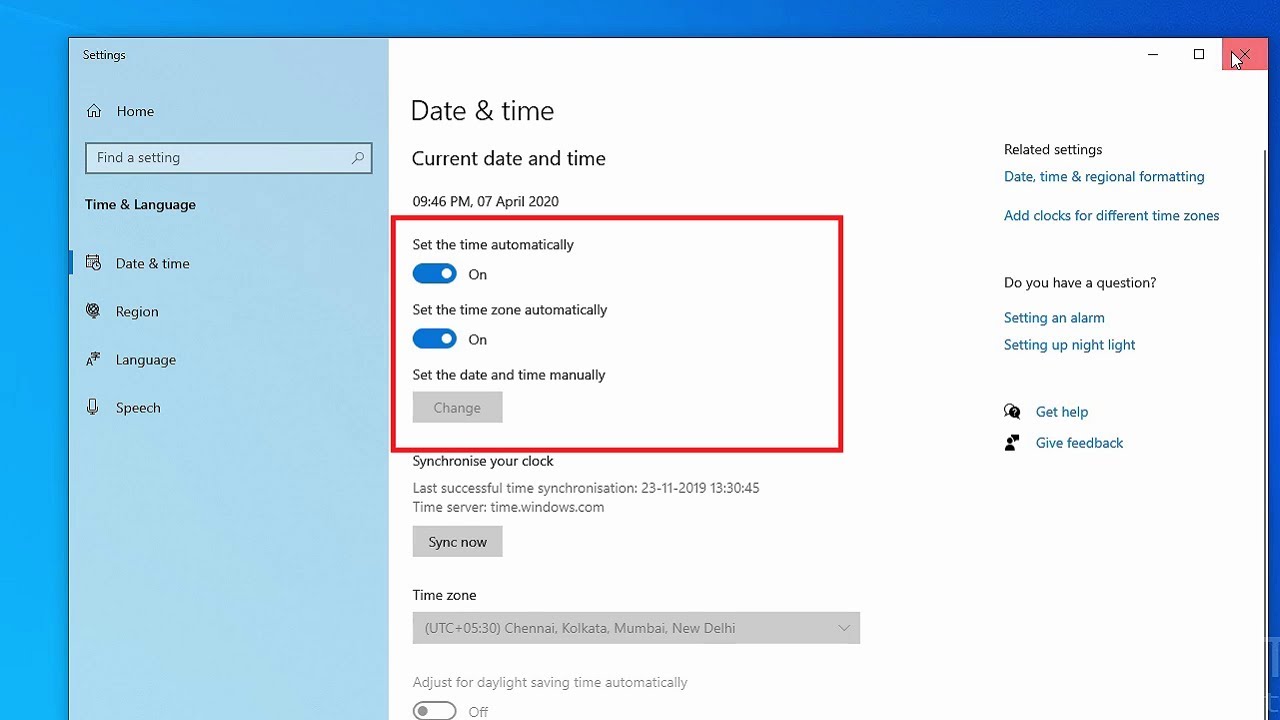
Fix #2: Daylight Saving Ends November 3: Check Your Backup Schedules
Tip:
Before clocks fall back November 3, verify your backup systems adjust automatically. Some older backup software doesn’t handle time changes well, causing backups to run at wrong times or skip entirely.
Why It Matters:
Missing even one night of backups during a critical window could mean losing a day’s worth of business data if something goes wrong.
How Fast Of A Fix?
3 minutes to verify automatic time adjustment settings
September 2025
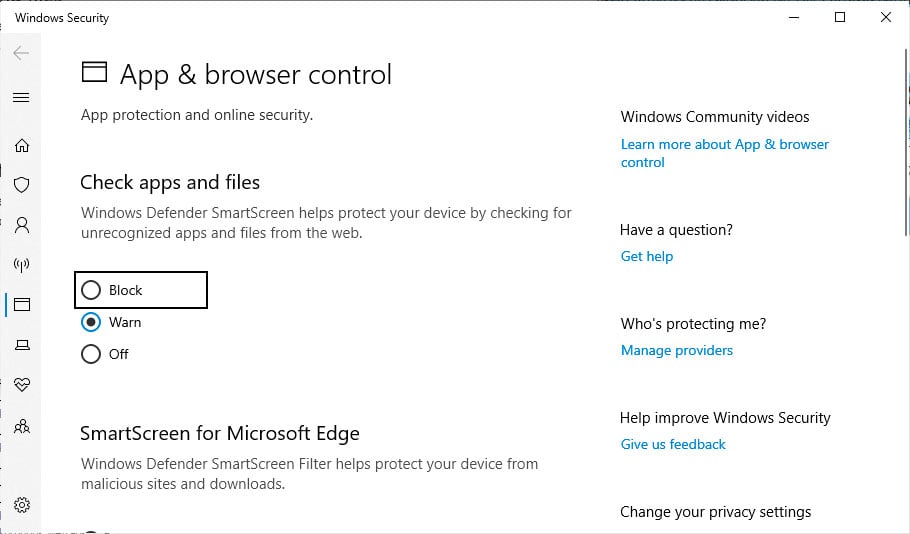
Fix #1: Turn On This Hidden Windows Setting to Stop 73% of Malware
Tip:
Go to Windows Security > App & Browser Control > Turn on ‘Block’ under ‘Check apps and files.’ This free built-in protection blocks most malware downloads automatically.
Why It Matters:
Many businesses don’t enable Windows’ built-in security features
How Fast Of A Fix?
45 seconds per computer
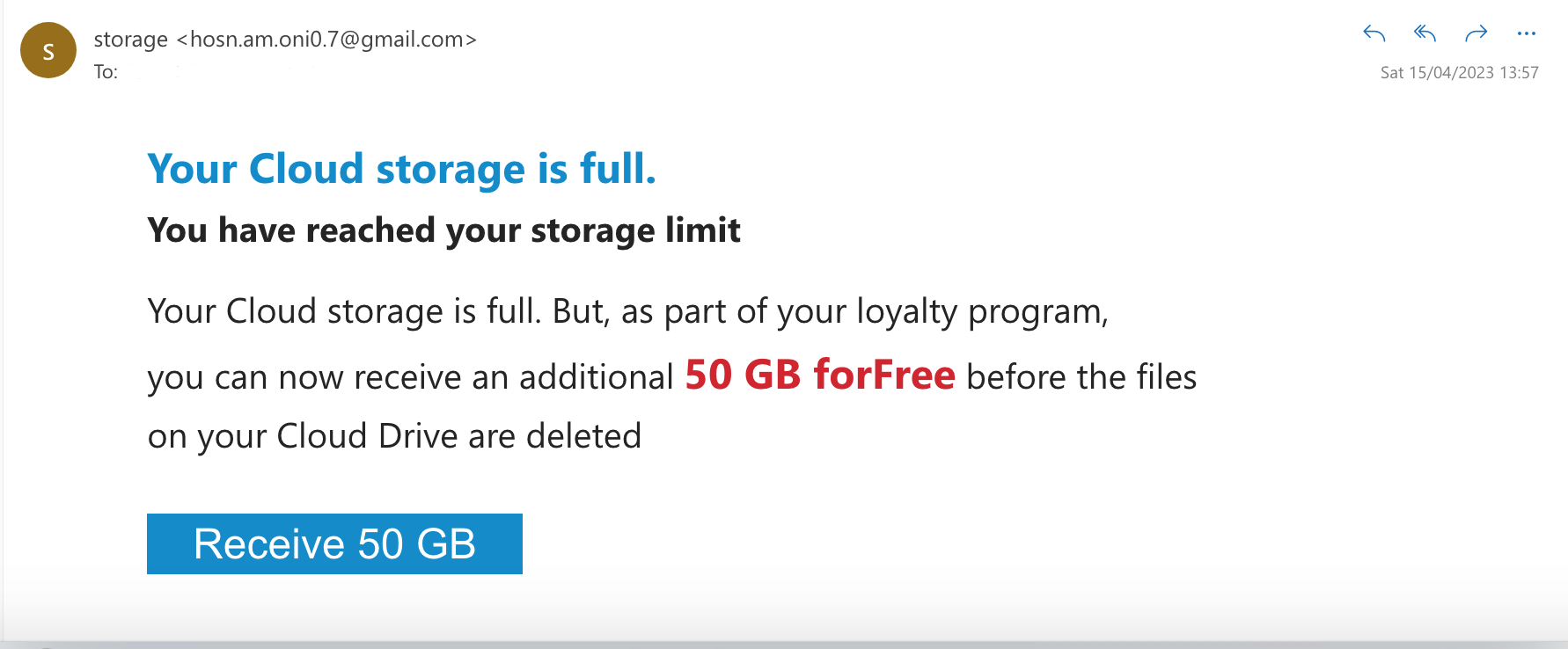
Fix #2: The Microsoft 365 ‘Storage Full’ Scam Costing Businesses
Tip:
Getting emails saying ‘Your Microsoft 365 storage is 99% full’? Before clicking ‘Upgrade Now,’ log into your real Microsoft 365 admin center. Criminals use storage fears to steal business account passwords.
Why It Matters:
89% of small businesses use Microsoft 365; a perfect phishing target
How Fast Of A Fix?
30 seconds to check real storage vs. clicking suspicious emails